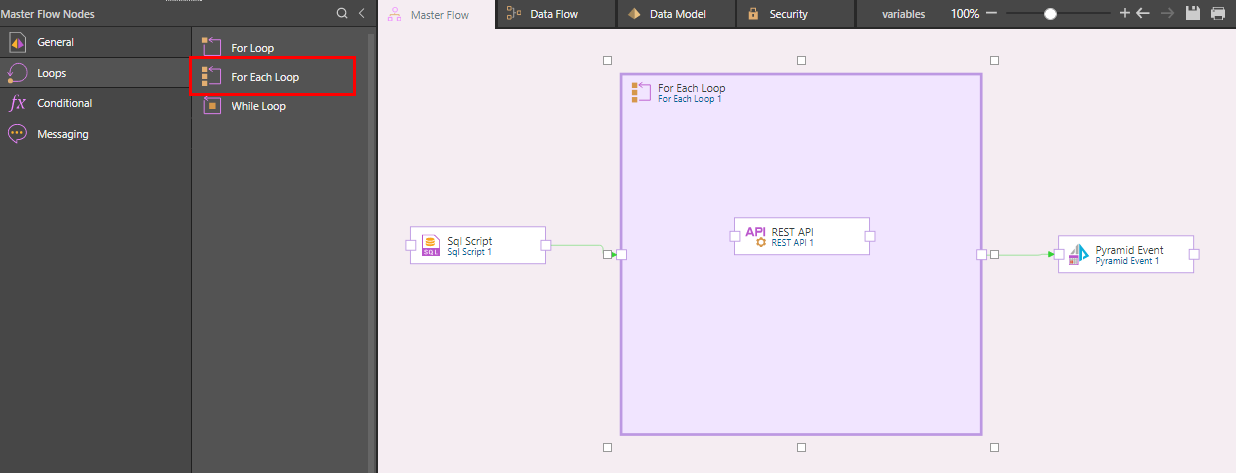
The For Each loop is very similar to the For Loop, with the difference that there is no condition to be met. While the For Loop iterates through each row in the variable over and over again until the given condition resolves as false, the For Each Loop will run one time for each value in the list variable. Each time the loop runs, it iterates through the next row in the given list variable. Each value from the list is then loaded into the loop variable.
List Variables
Variables are used to store values that can then be passed into tables for incremental loading, and injected into scripts, filters, and calculated columns in the Data Flow. They can also be passed into containers, processes, and dynamic expressions in the Master Flow.
Variables can be used to store numeric values, text values, and date or date/ time values. They can be used to store a single value, or a list of values.
The For Each Loop is used to iterate through a list variable, which is a variable that stores a list of values. The For Each Loop will run as many times as there are list items in the variable; each time it runs it will load the current list value into the loop variable before running again. It will repeat this process until each list in the variable has been loaded into the loop variable.
- Click here to learn how to build a list variable from the Variables Panel.
- Click here to learn how to build a list variable from the SQL Script node in the Master Flow.
For Each Loop Properties
The current value of the list variable is loaded into the loop variable before the loop is run.
To create a list variable, ensure that the List option is checked.
General
Expand the General panel and add the following metadata details:
Display Name
The name of the node. By default, nodes are assigned a name based on their node type and numbered sequentially (for example, Node 1, Node 2, and Node 3). Change the name as needed.
Description
Enter a description for the node. Use descriptions to document the purpose of nodes and make the master flow easier to understand and maintain. This is especially important where multiple users are working on the model. The description is visible only in the Model app.
Node ID
The unique ID for this node. Click the Copy icon to copy this ID to your clipboard.
For Each Loop
List Variable
Select the list variable that contains the list of values you want to load into the loop variable.
Loop Variable
Select the variable into which the list variable's values should be loaded. This cannot be a list variable.

Example
In the example below, an SQL script is used to load a set of three Australian cities into the list variable CityList.

The loop will run three times, each time loading the current list variable into the loop variable before running again.
The REST API node is then used to get the population of the current city, which will then be loaded into the CityPopulation variable.
